Domain Name Auction Process
You can purchase domain names through auctions in the bidding channel. Participation requires agreement and compliance with the Domain Name Auction Rules.
The auction process on NamesLink is as follows:
1. Filter Domain Names
Navigate to the "Auction" channel. Enter the domain name(s) you wish to find or apply filter criteria. The list will display domain names matching your requirements.
-
Bulk Search: Supports batch queries by domain name. Enter complete domain names, separated by line breaks.
-
Fuzzy Search: Enter a single domain name without its extension (TLD). The search engine will match domain names containing your input.
-
Other Filters: Filter by domain length, TLD, registration date, domain composition, current price range, etc. Follow the on-page instructions.
-
Customizable Results per Page: Display 20, 50, 100, or 200 domain names per page.
2. Place a Bid
After selecting domain name(s), click "Bid" on an individual domain or "Bulk Bid" at the bottom of the list to enter the bidding page.
-
Enter Your Bid: On the bidding page, view each domain's current price, required deposit, renewal price, etc. The "My Bid" input field defaults to the minimum next bid amount. You can bid this amount directly or enter any amount higher than the minimum.
-
Set a Proxy Bid: If your bid exceeds the minimum required amount, it becomes a "Proxy Bid". If another bidder outbids you, the system will automatically place incremental bids on your behalf up to your proxy bid amount.
-
Batch Set Price: Select multiple domain names in the list and use "Batch Set Price" to set prices for all selected domains simultaneously.
-
Remove Domain: Click the trash can icon next to a domain to remove it and abandon bidding for that domain.
3. Pay Deposit & Submit Bid
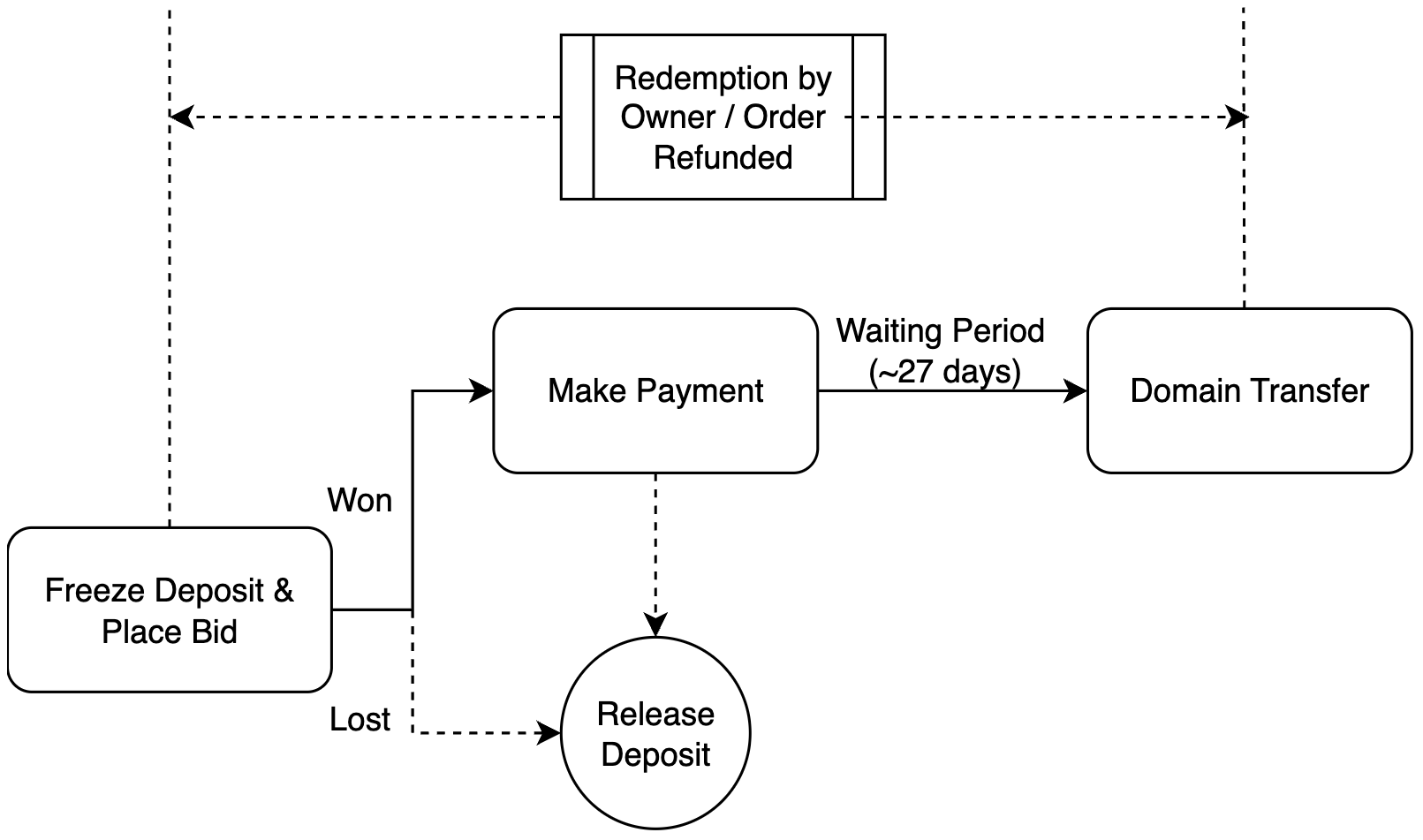
After setting bids for all domains, click "Pay Deposit & Submit Bid". The system calculates the total deposit required for all domains listed on the page. After confirming, click "Confirm Payment & Submit Bid". The deposit will be deducted from your account balance, and bids will be placed for all domains.
-
Insufficient Balance: If your balance is insufficient to cover the deposit, bidding will fail. You must recharge your account via "My Funds" and restart the bidding process.
-
Bid Result: After bidding, you will see the result. If your bid is the highest, the status is "Leading". If your bid has been exceeded, the status is "Outbid".
4. Continue Bidding
After placing bids, you can continue bidding via "Domain Management" > "Domain Auctions".
-
Bulk Bidding: The bulk bidding list shows domains you are actively bidding on. Select domains, set new prices individually or in bulk, then click "Bulk Bid" to increase your bids.
-
My Auction Participation: This list shows all domains you have ever bid on historically. View details like price, auction time, and whether you won.
-
Bid Details: Click on any domain to view its details page. Click "Bidding History" to see the full bid history for that domain.
5. Winning & Payment
When the auction ends, the highest bidder wins the domain.
-
Automatic Payment: The winning amount is automatically deducted from the winner's account balance.
-
Insufficient Balance, Post-Win Payment: If the winner's balance is insufficient, they have 72 hours to pay. Recharge sufficiently via "My Funds", then go to "My Won Domains" > "Pending Payment" to complete payment. The system will attempt automatic deductions multiple times within that 72-hour window.
-
Auction Deposit: After the winner completes payment, their deposit is automatically refunded to their balance. Failure to pay on time results in confiscation of the deposit (non-refundable). Deposits from non-winning bidders are automatically refunded when the auction ends.
6. Withdraw from Auction
During an auction, if your bid is "Outbid", you can click "Withdraw" on the bid details page to exit the auction. Your deposit will be refunded automatically upon withdrawal.
To re-enter the auction for that domain, search for it again in the auction list and place a new bid. Alternatively, find the domain with "Withdrawn" status in your "My Auction Participation" list and place a new bid from its details page.